
Merhaba;
Microsoft Exchange Server 2010 mail iletişimini daha da güvenli bir hale getirmek için sertifikalar kullanılır.Exchange Server 2007 üzerinde sertifika işlemlerini gerçekleştirmek için uzun uzun işlemler yapıyorduk.Ancak Exchange Server 2010 üzerinde bu işlemi cok kısa bir sürede yapabiliyoruz. Exchange Server 2007‘de bu durumun nasıl yapıldıgını öğrenmek için aşağıdaki link ‘e tıklayabilirsiniz.
http://technet.microsoft.com/en-us/library/bb851505.aspx#CreatingImportingandEnablingCertificates
Self Signed sertifika kullanacağımız için bu sertifika 1 yıl süre için geçerlidir. 1yıl sonra sertifika almamız gerekecektir. Yanlız 3 party sertifika alınarak Exchange Server 2010 üzerinde kullanabiliriz.
Exchange Management Console ‘umuzu açıyoruz.
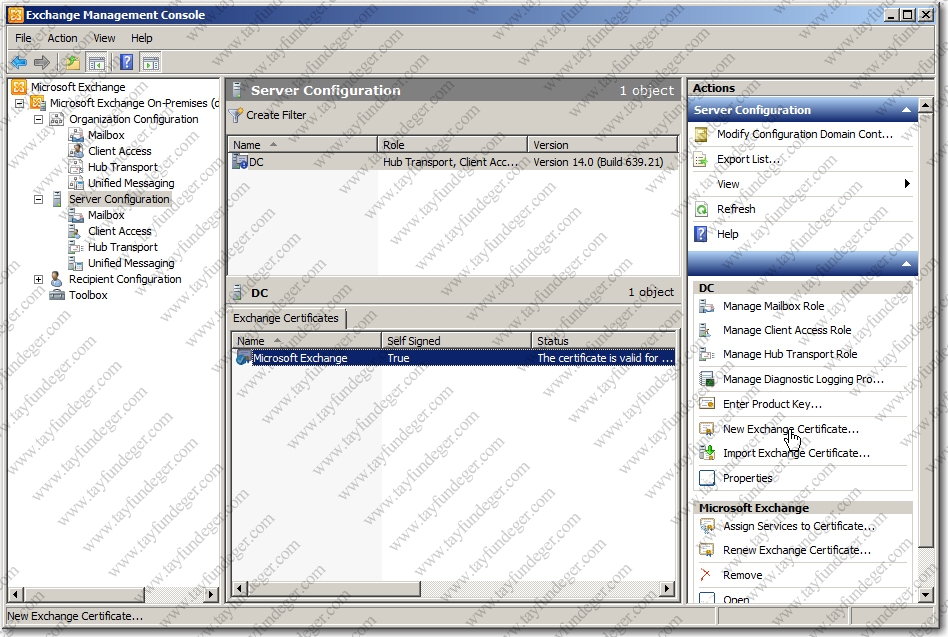
Exchange Server 2007 ‘den farklı olarak; Exchange Server 2010 ‘da sertifika işlemlerimizi Exchange Management Console üzerinde yapabiliyoruz. Exchange Server 2010 kurulumu ile birlikte yeni bir sertifika oluşturur. Eğer biz yeni bir sertifika talebinde bulunmak istiyorsak; New Exchange Certificate butonunu tıklıyoruz.

Görüldüğü üzere karşımıza açılan sihirbazda yeni bir sertifika talebinde bulunabiliyoruz. Eğer sertifikamız var ve bunu upload (import) etmek istiyorsak; Import Exchange Certificate butonuna tıklıyoruz.
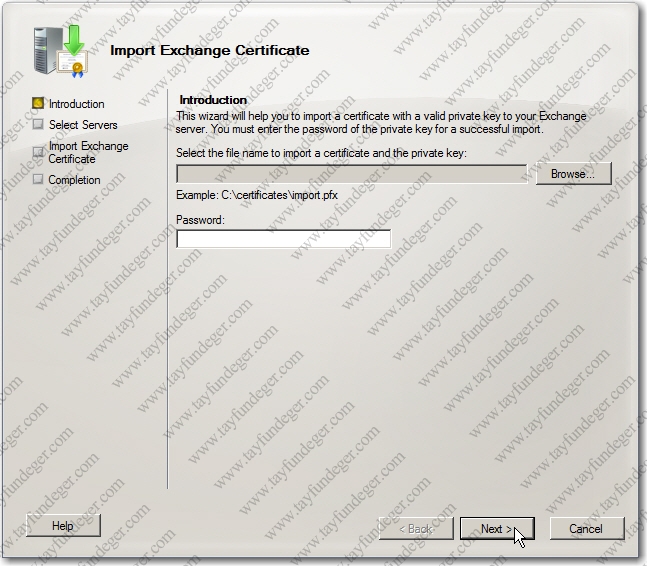
Ben bu yazımda Exchange Server 2010 tarafından oluşturulan sertifikayı import edicem. Bunun için ilk önce OWA ‘ya bağlanıyoruz.

Görüldüğü gibi sertifika hatası almaktayız. Bu durumu ortadan kaldırmak için View Certificate kısmına tıklıyoruz.
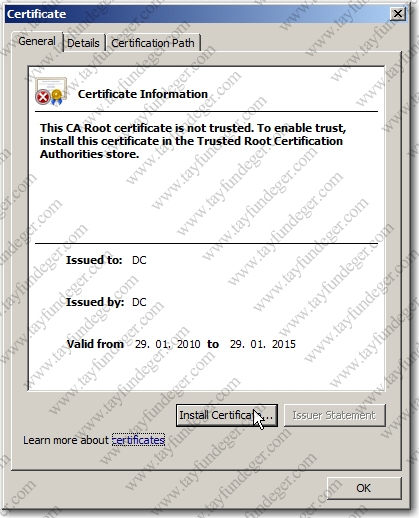
Sertifika bilgilerini, geçerlilik sürelerini yukarıda görüyoruz. Sertifika yükleme işlemine başlamak için Install Certificate butonuna tıklıyoruz.
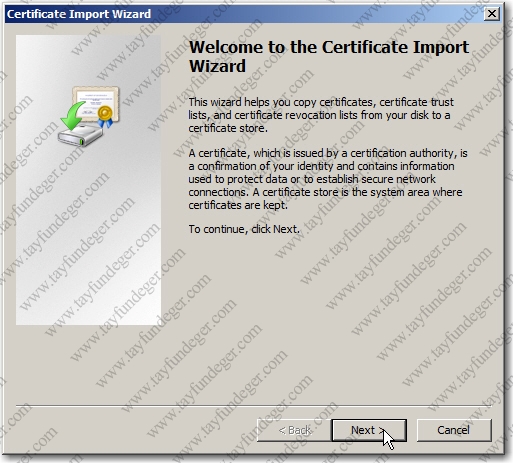
Certificate Import Wizard ekranında ilk bölümü Next ile geçiyoruz.
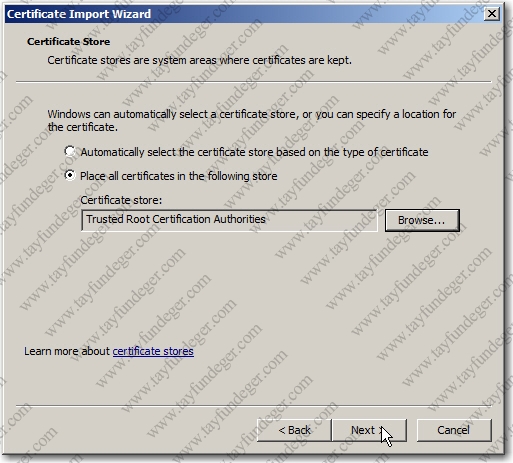
Place all certificates in the following store seçiyoruz ve Browse butonu ile Trusted Root Certification Authorities bölümünü seçiyoruz ve devam ediyoruz.İşlemleri tamamladıktan sonra Next ile ilerliyoruz.
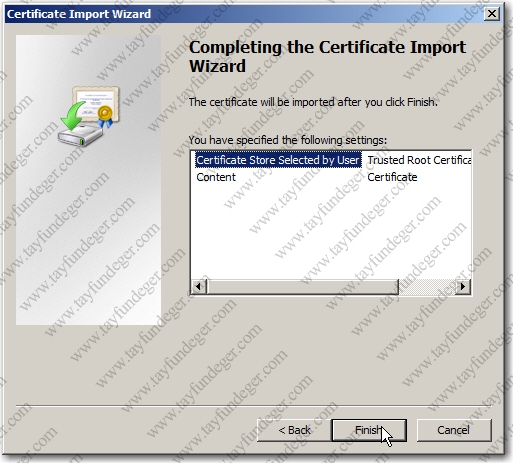
Finish butonuna tıklıyoruz ve Import işlemini başlatıyoruz.
İşlemi başlattıktan sonra bize Security Warning başlığı altında bir uyarı verir. Burada sertifikayı yükleme konusunda onay vermemiz istenmektedir. Yes ile bu ekranı geçiyoruz.
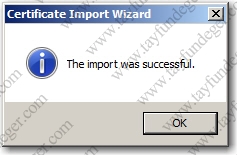
Sertifikamızın başarıyla yüklendiğini gösteren bilgi ekranını OK butonuna basarak kapatıyoruz.
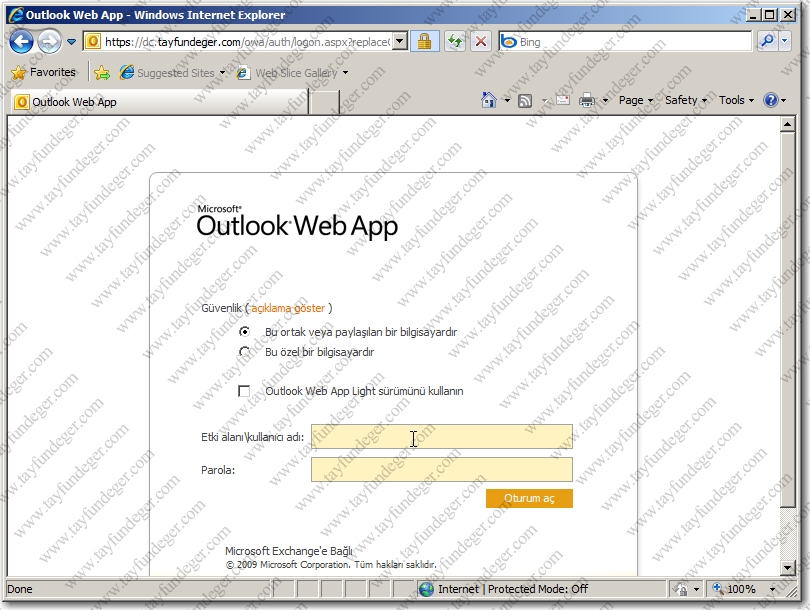
Tekrar OWA ‘ya Login olduğumuzda herhangibi bir sertifika hatasıyla karşılaşmadığınızı göreceksiniz. Yanlız bu durum 1 yıl süre ile geçerlidir. 1 yıl süre zarfında Certificate Error adı altında herhangibi bir hata ile karşılaşmayacaksınız.
Bir başka makalede görüşmek üzere..